
A strong portfolio is the single most effective tool a photographer has for winning clients and showcasing signature work. Beyond displaying images, a well-made portfolio communicates your style, demonstrates your technical skill, and helps potential clients imagine working with you. In this guide we’ll walk through the building blocks of an effective portfolio: how to choose and sequence images, design principles for an online presence, and practical ways to promote and maintain your site. Follow these steps and you’ll have a photography website that stands out in a crowded market.
This guide was produced by The Photography Success Team, a group of experienced photographers and digital marketers with over 15 years of combined experience in the visual arts. We’ve built and optimised portfolios across niches and client types, so our advice comes from hands-on work and proven results. Our aim is practical: help photographers attract the right clients and grow their business through a focused, professional online presence.
A standout portfolio is built from a few core elements that together convey your voice as a photographer. These pieces help visitors understand what you do, why you’re good at it, and how to hire you.
Picking a niche lets you present a focused portfolio that speaks directly to the clients you want. A niche can be defined by subject (portraits, weddings, commercial), style (editorial, documentary, lifestyle), or client type (brands, families, agencies). When you know who you’re targeting, you can tailor your image selection, language, and pricing to meet their expectations—making it much easier to convert visitors into bookings.
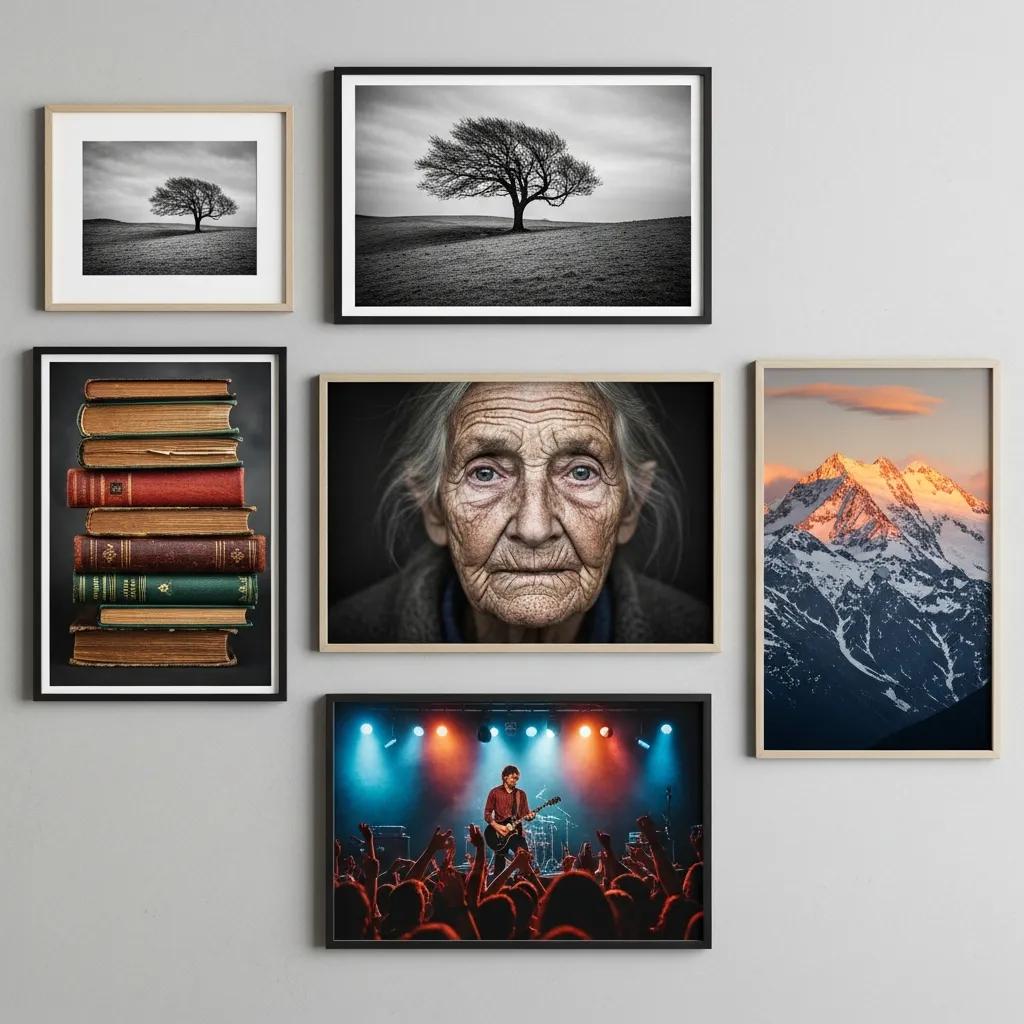
To make a professional impression, include these essentials:
Together, these parts create a clear story about your work and make it simple for clients to say “yes.”
Curating your portfolio is about choosing images that represent the future work you want to book, not just your past. Aim for cohesion: the portfolio should read as a single, confident body of work.
Less is almost always more. A smaller set of excellent images captures attention and leaves a stronger impression than dozens of average shots. Each photo should demonstrate technical control, creative decision-making, and a clear point of view—so every image earns its place.
You can show range without sacrificing unity by controlling a few visual anchors:
Balancing variety with consistency makes your portfolio interesting while still feeling intentional.
An online portfolio should make your images the priority while offering a smooth, distraction-free browsing experience that encourages visitors to explore and get in touch.
Pick a platform that fits your technical comfort and design needs. Popular choices include:
Each platform has pros and cons—choose the one that matches how much time you want to spend on setup and maintenance.
Design and UX shape how people perceive your work. Key considerations:
Good design keeps attention on your photos and guides visitors toward contacting you.
How you present projects and client stories can turn casual browsers into paying customers. Use narrative and proof to build confidence.

Testimonials and case studies act as social proof. Short, specific client quotes reassure prospects about your reliability and results. Case studies—brief project summaries that outline the brief, your approach, and the outcome—show how you solve problems and deliver value. Together they make your claims believable.
Good captions add context and deepen engagement. Follow these tips:
Smart descriptions help viewers connect emotionally and intellectually with your work.
Keeping your portfolio current signals professionalism and growth. Make updates part of your workflow.
Regular reviews keep your portfolio aligned with your skills and the clients you want to attract. Remove older work that no longer represents your best, and add recent projects that reflect where you’re headed creatively. A fresh portfolio shows you’re active and invested in your craft.
Stay relevant by watching trends and listening to clients. Practical strategies include:
Adapting doesn’t mean chasing every trend—select what fits your brand and audience.
Your portfolio can be the hub of your marketing—use it to drive visibility, enquiries and bookings.
Simple SEO steps help potential clients find you online:
These tactics drive more qualified traffic to your portfolio.
Combine online sharing with real-world networking to expand reach:
Regular promotion and authentic networking multiply the value of your portfolio.
Building a strong photography portfolio means making deliberate choices: define who you serve, show your best work with clarity, and present it in a way that makes contacting you simple. Follow the strategies above and your portfolio will not only showcase your talent but also help you win the right clients.
Common errors include showing too many images, which weakens the overall impact, and keeping outdated work that no longer represents your current level. Don’t forget to tailor your portfolio to your target audience—generic galleries miss opportunities. Finally, ensure navigation is clear: a confusing layout will lose potential clients quickly.
Update at least every six months or whenever you finish notable new projects. Regular updates keep your site relevant and demonstrate that you’re actively shooting. Consider smaller, seasonal tweaks to highlight timely work or special offers.
Branding signals who you are and what clients can expect. Consistent use of style, colour, typography and tone helps you stand out and be remembered. A clear brand makes it easier for clients to understand whether you’re the right fit for their project.
Use short, specific testimonials and selective case studies to show real results and happy clients. Highlighting recognitions, publications or notable collaborations also adds credibility. Social proof helps nervous clients feel confident hiring you.
Promote via social media with purposeful posts that link back to your site, write short blog posts or project notes to improve SEO, and collaborate with other creatives or local businesses to reach new audiences. Email updates to past clients and contacts are a low-cost way to bring people back to your portfolio.
Track website analytics—traffic, page views, and time on site—to see what attracts visitors. Monitor enquiries and bookings that originate from the site, and watch engagement on social posts that link to your portfolio. Use these signals to refine your content and marketing.
For deeper guidance and industry resources, explore: